
WageFi Flow
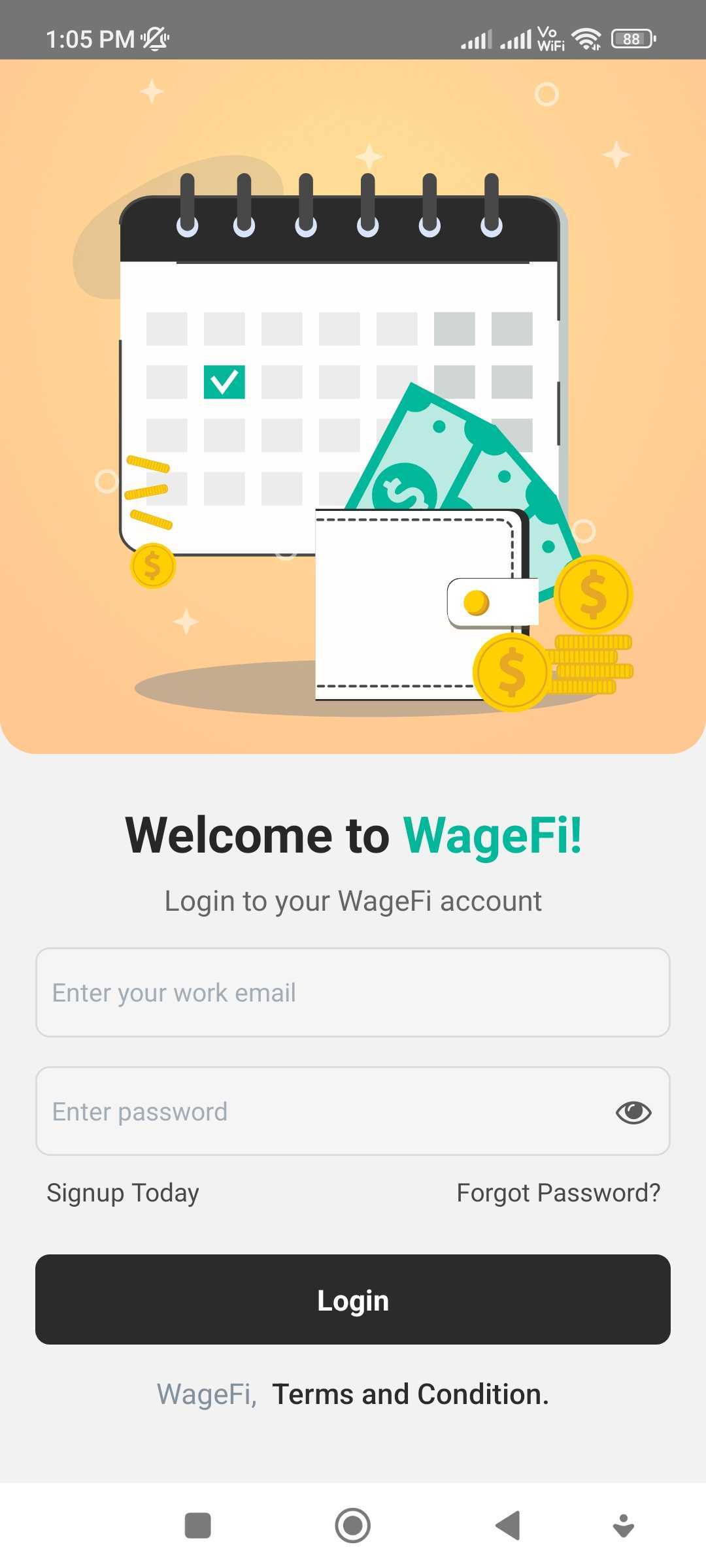
- User Authentication: Users can create an account or log in using their email address and password.
- Password Recovery: Forgot your password? Wagefi provides a password recovery mechanism to reset your password securely.
- Account Security: Passwords are stored using industry-standard encryption techniques, ensuring the security of user data.
- Customizable UI: Easily customize the login interface to match the branding and design of your application.
- Integration with Existing Systems: Seamlessly integrate the WageFi Login feature into your existing user management system.
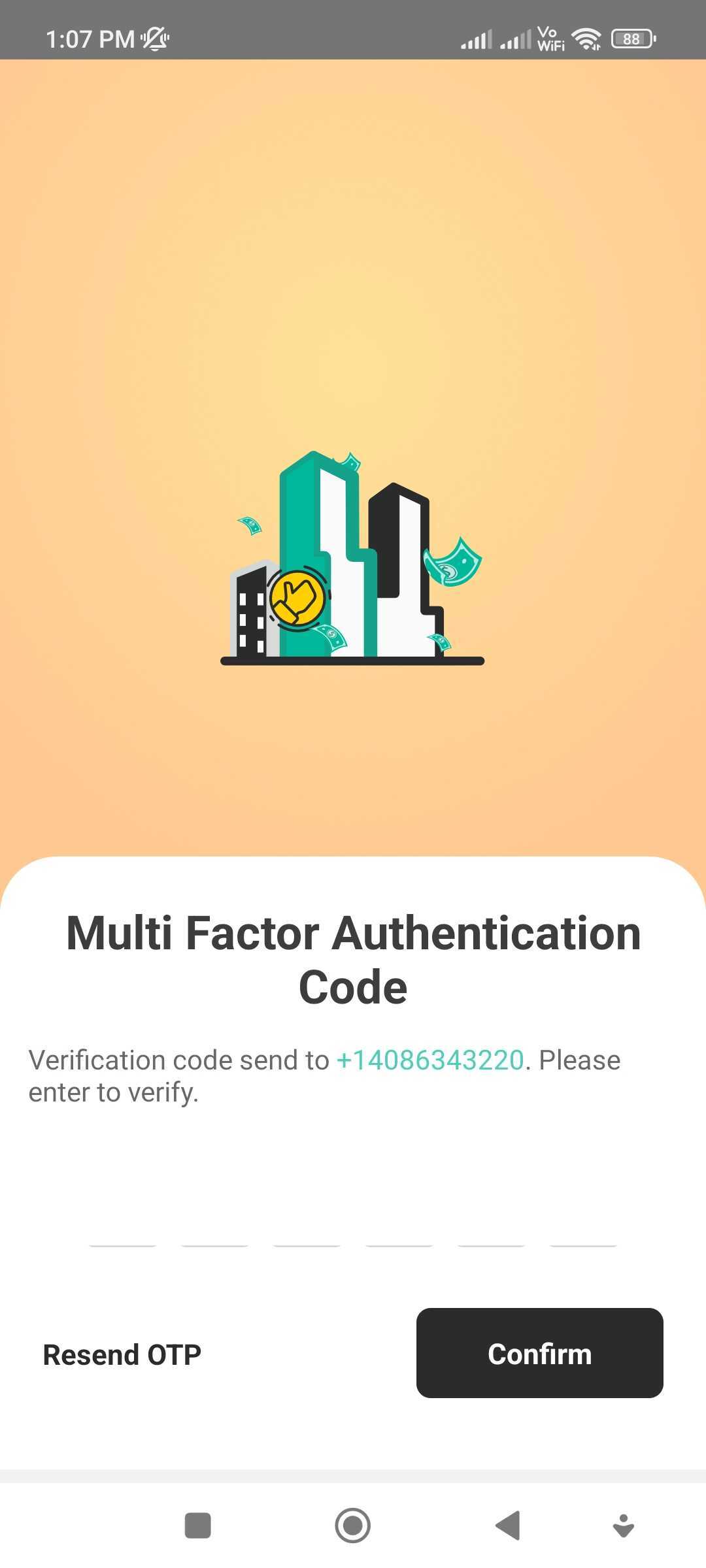
MFA (Multi-Factor Authentication) code authentication adds an extra layer of security to user logins by requiring users to enter a verification code in addition to their username and password.
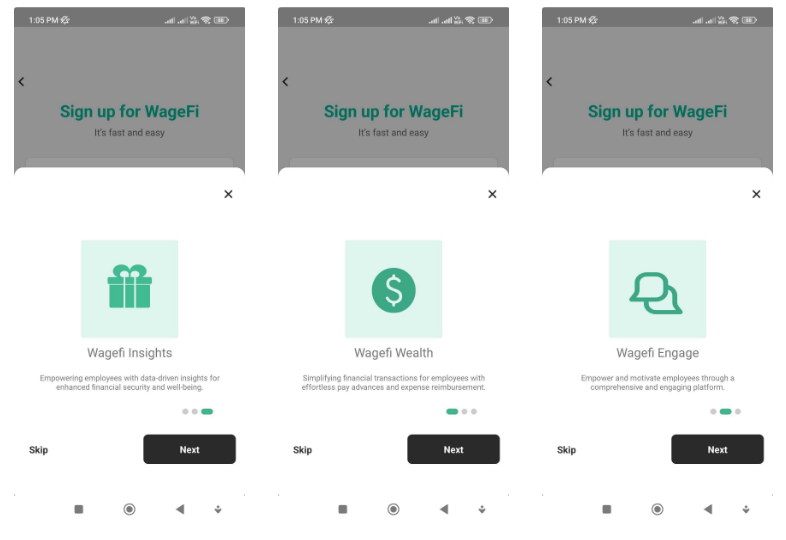
WageFi Engage is a comprehensive engagement platform that enables you to connect and communicate with your users effectively.
WageFi Insight is a comprehensive analytics tool offered by Wagefi. It provides valuable data and insights regarding your application's performance, user behavior, and key metrics.
WageFi Signup: Employee and Employer Options
The WageFi Signup feature provides separate registration options for both employees and employers, catering to the distinct needs and roles of each user type.
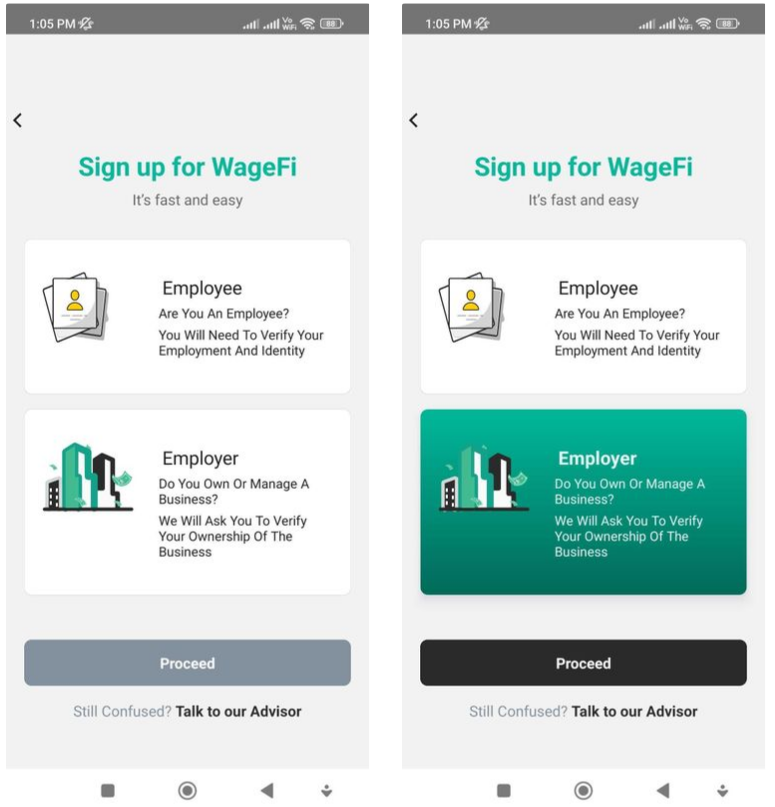
- Employers start by signing up on WageFi, providing their company details, and creating an account.
- Once registered, employers complete the account setup process, including email verification and configuring organizational preferences.
- With the account set up, employers gain access to the WageFi dashboard, where they can manage payroll, and employee data, and utilize various employer-specific features.
Let’s understand each in detail.
On the "Create Account" screen, you will find the following fields to fill in your information:
- Payroll Provider: Enter the name of your payroll provider or select from a dropdown list if available.
- Email: Provide your email address, which will be used for communication and account-related notifications.
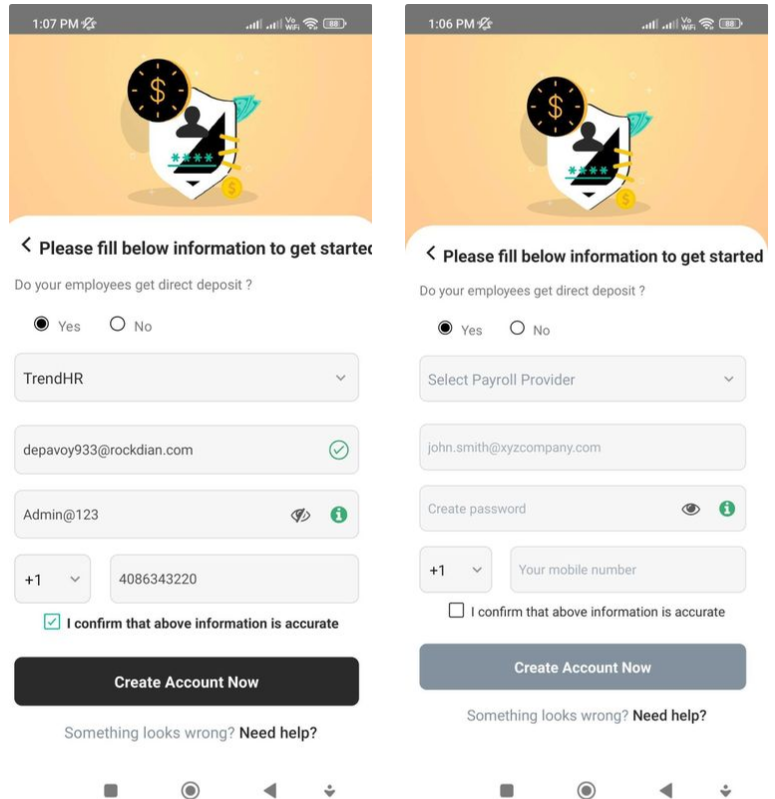
- Password: Set a strong and secure password to protect your account.
- Mobile Number: Enter your mobile number for any necessary mobile notifications or verification purposes.
Once you have filled in the required information, you can click on the "Create Account Now" button to proceed with creating your account.
Finally,
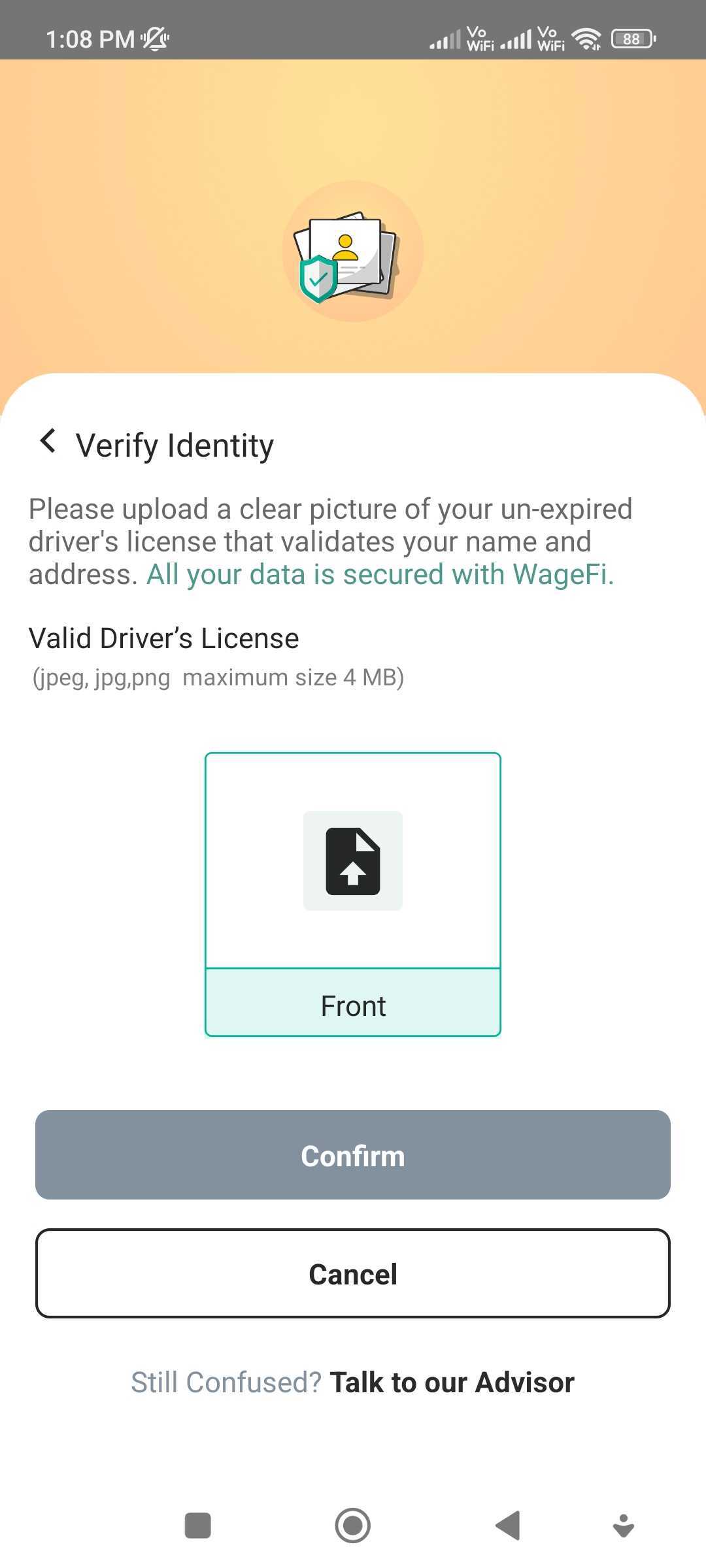
After submitting the initial account creation information,
you will be prompted to upload your Driver's License (DL)
for verification purposes.
Follow the instructions to upload a scanned or clear photo
of your Driver's License document.
This step is necessary to validate your identity and ensure
the security of your account
- WageFi securely onboard employers by implementing a thorough verification process that includes business registration checks and Know Your Customer (KYC) procedures, ensuring the legitimacy and security of the onboarding process while safeguarding sensitive information through encryption protocols.
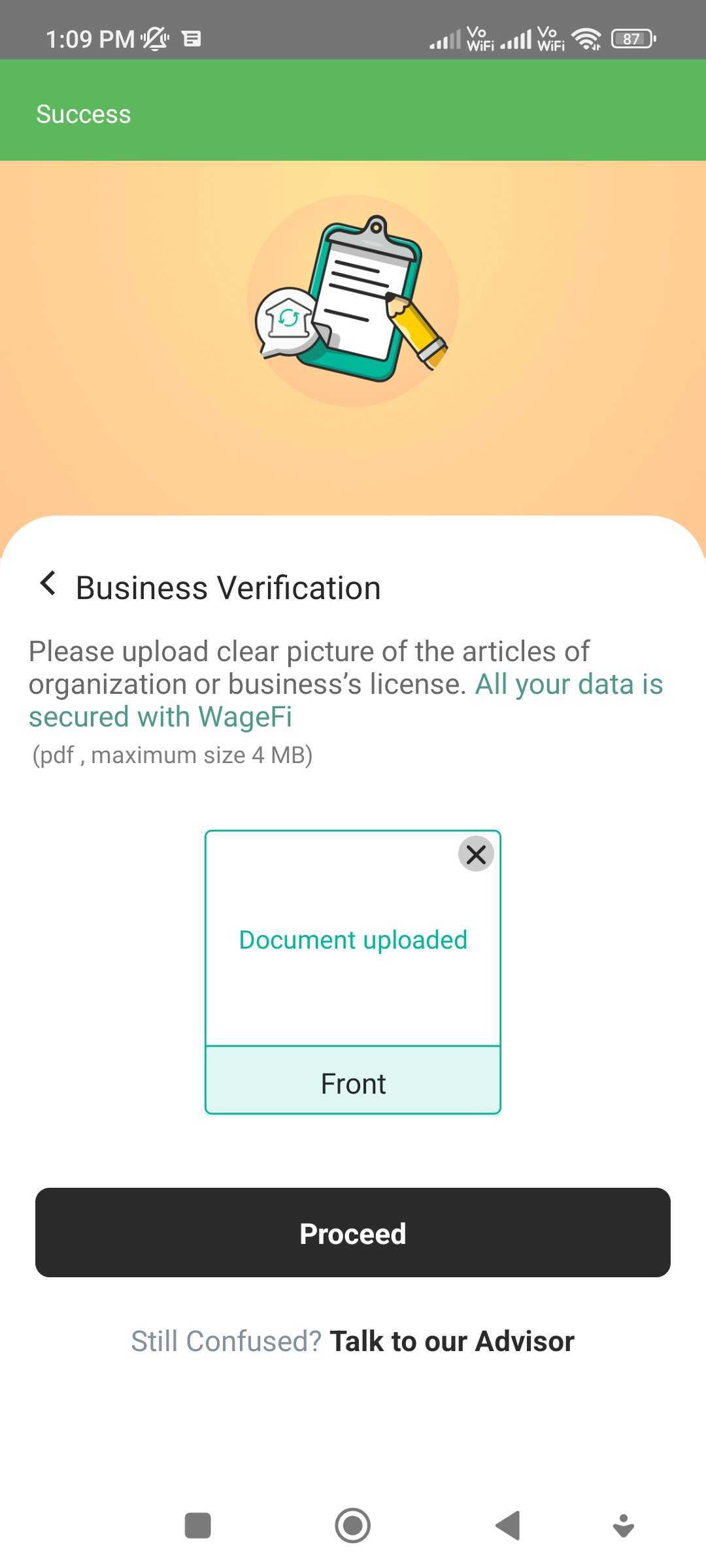
- WageFi uses the Article of Organization, a legal document filed by a company during its formation, to verify the employer's identity and legitimacy. By reviewing the Article of Organization, WageFi can confirm the official registration and existence of the employer as a legal entity.
Setting up WageFi Advance
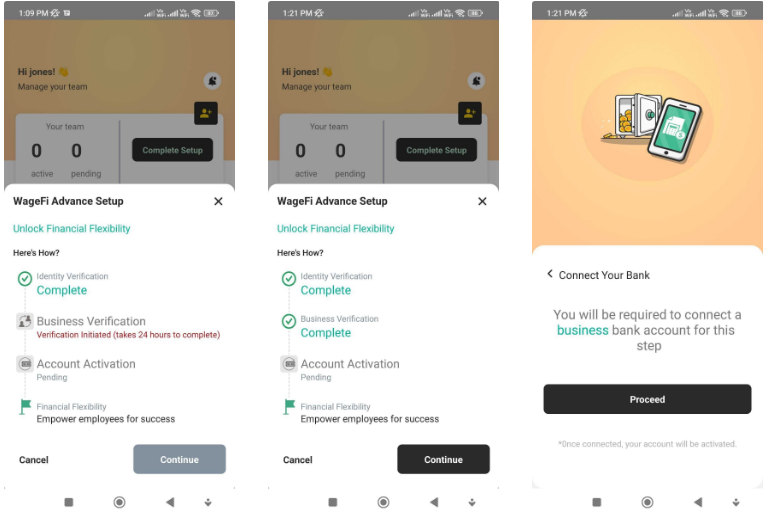
- Identity Verification: WageFi verifies the identity of the employer through a comprehensive process that may include validating business registration documents, conducting background checks, and verifying key information provided by the employer, ensuring a secure and trustworthy onboarding experience.
- Business Verification: WageFi verifies the organization by confirming its legal status through document verification, conducting business registration checks, and authenticating key information provided, ensuring the legitimacy and credibility of the organization.
- Account Activation: After successfully verifying the employer's identity and organization, WageFi activates the account, granting the employer access to choose a wide range of features and services offered by WageFi.
-
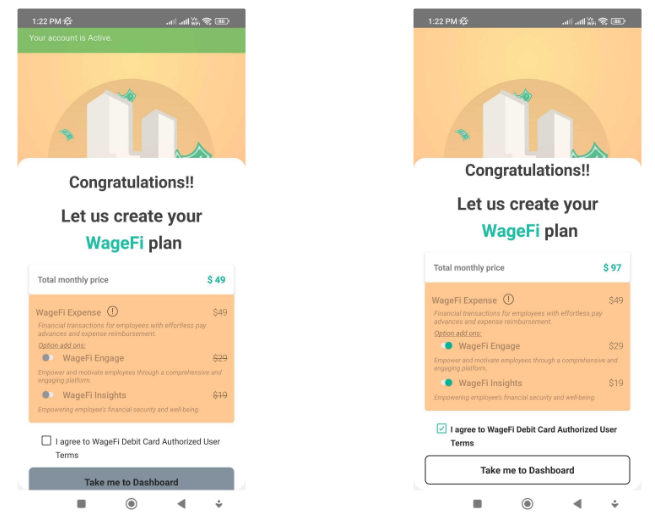
The employer can opt for the standalone WageFi Expense plan, which focuses on providing robust expense management solutions to streamline and optimize financial processes.
-
Alternatively, the employer has the flexibility to enhance their offering by adding the WageFi Engage add-on, which facilitates effective team communication, rewards and initiatives, and performance evaluation tools to boost employee engagement and productivity.
-
Additionally, the employer can also choose to include the WageFi Insights add-on, which offers data analytics, financial wellness resources, and actionable insights from employee data to enable informed decision-making and improve overall organizational performance.
-
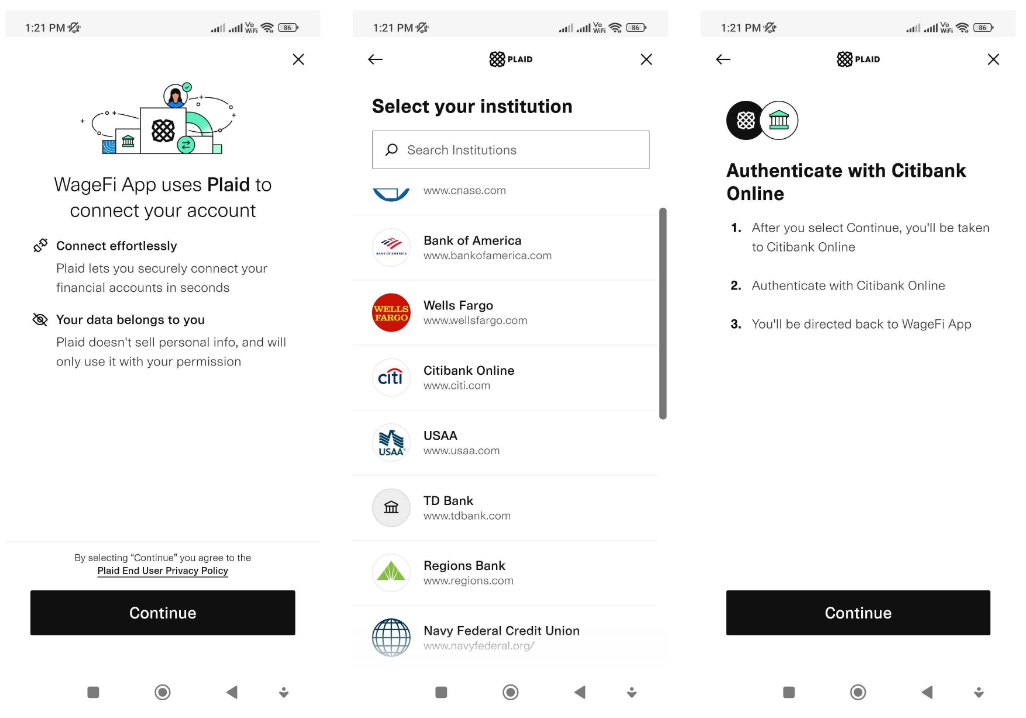
Bank Connect: WageFi securely connects to bank accounts using Plaid's reliable and encrypted technology, facilitating a seamless and protected transfer of financial information between the two platforms.
-
Choose from 100s of banks: WageFi offers users the flexibility to choose from a wide range of options, with access to hundreds of US banks, enabling seamless transactions and providing users with the convenience of selecting the bank that best suits their needs.
-
Authentication: WageFi utilizes industry-standard authentication technology, ensuring secure bank transactions through robust security measures and protocols.
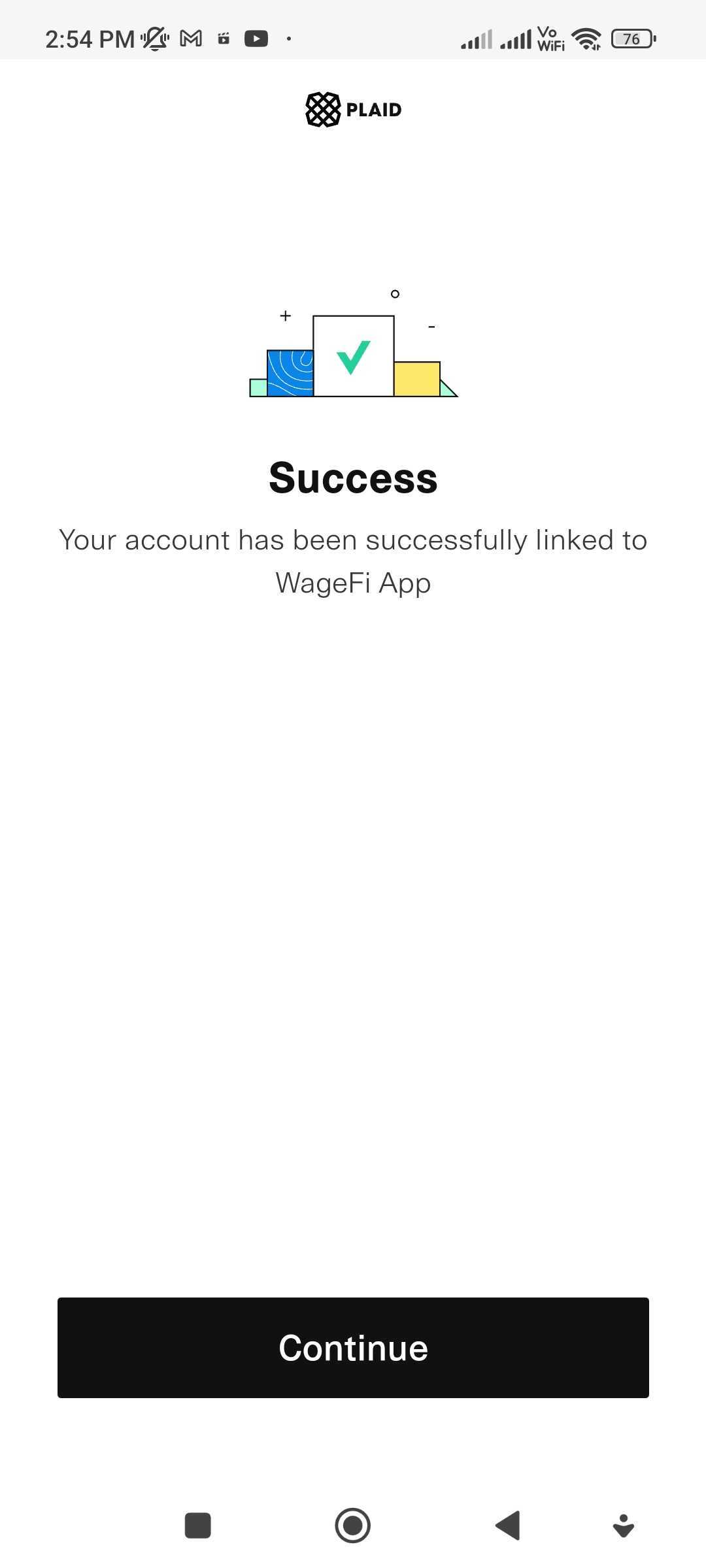
- After successfully connecting your bank to the WageFi app, you can conveniently manage your finances, track transactions, and access various financial services and features offered by WageFi.
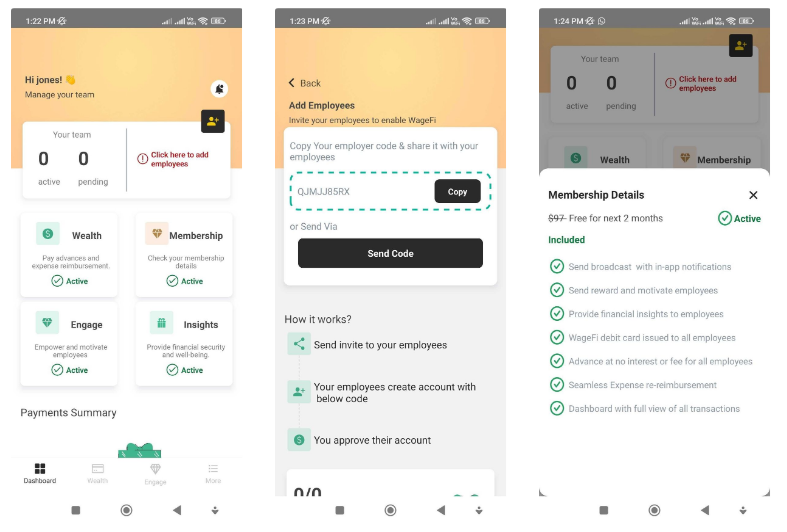
- After activating the WageFi account, the employer is provided with a unique organization-specific code by WageFi, which can be used to invite employees to join the WageFi app.
- The employer shares the code with employees, who then download the WageFi app and enter the code during the registration process to create their accounts.
- Once an employee registers with the code, the employer receives a notification to approve the employee's account within the WageFi employer portal.
- The employer reviews the employee's account details and approves it, granting the employee access to the organization's WageFi services and features.
- With the WageFi app, the employer can offer various services to their employees, such as expense management, task management, team communication, rewards and initiatives, training resources, performance evaluation tools, centralized time-off management, and access to financial wellness resources, thereby providing comprehensive financial and employee management services within the WageFi platform.
WageFi Engage for Employer
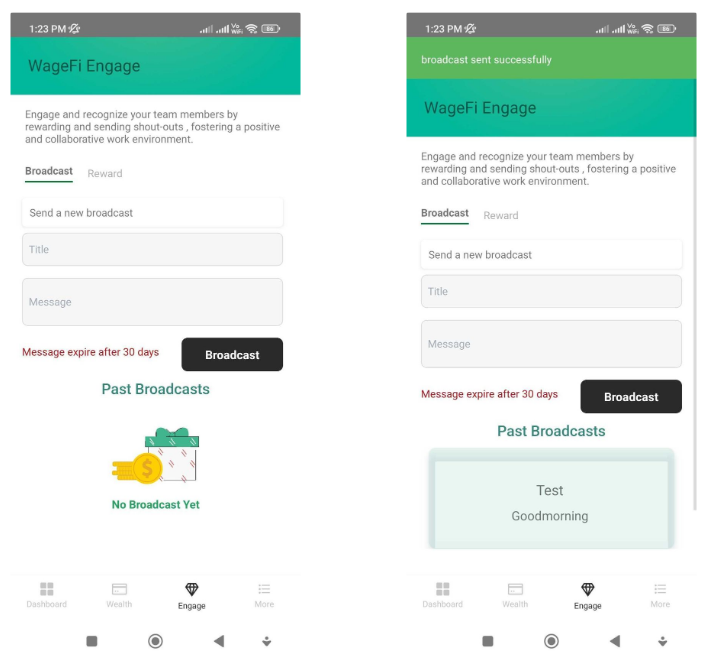
- The broadcast message feature in WageFi Engage allows the employer to send messages to either all employees or select specific employees within the organization.
- The employer can set an expiration date for the broadcast message, specifying the duration for which the message will remain active and visible to the intended recipients.
- This feature enables efficient communication and dissemination of important announcements, updates, or reminders to employees, ensuring that the information reaches the intended audience within a defined timeframe.
WageFi Wealth for Employers
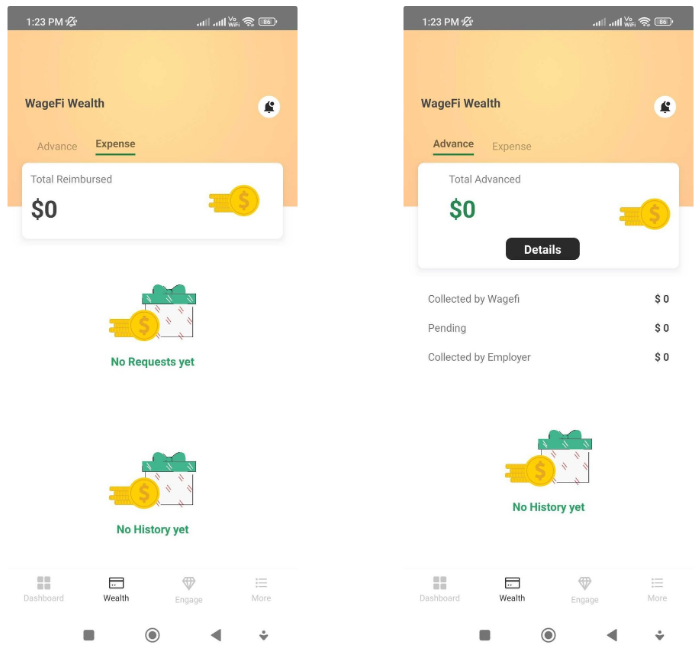
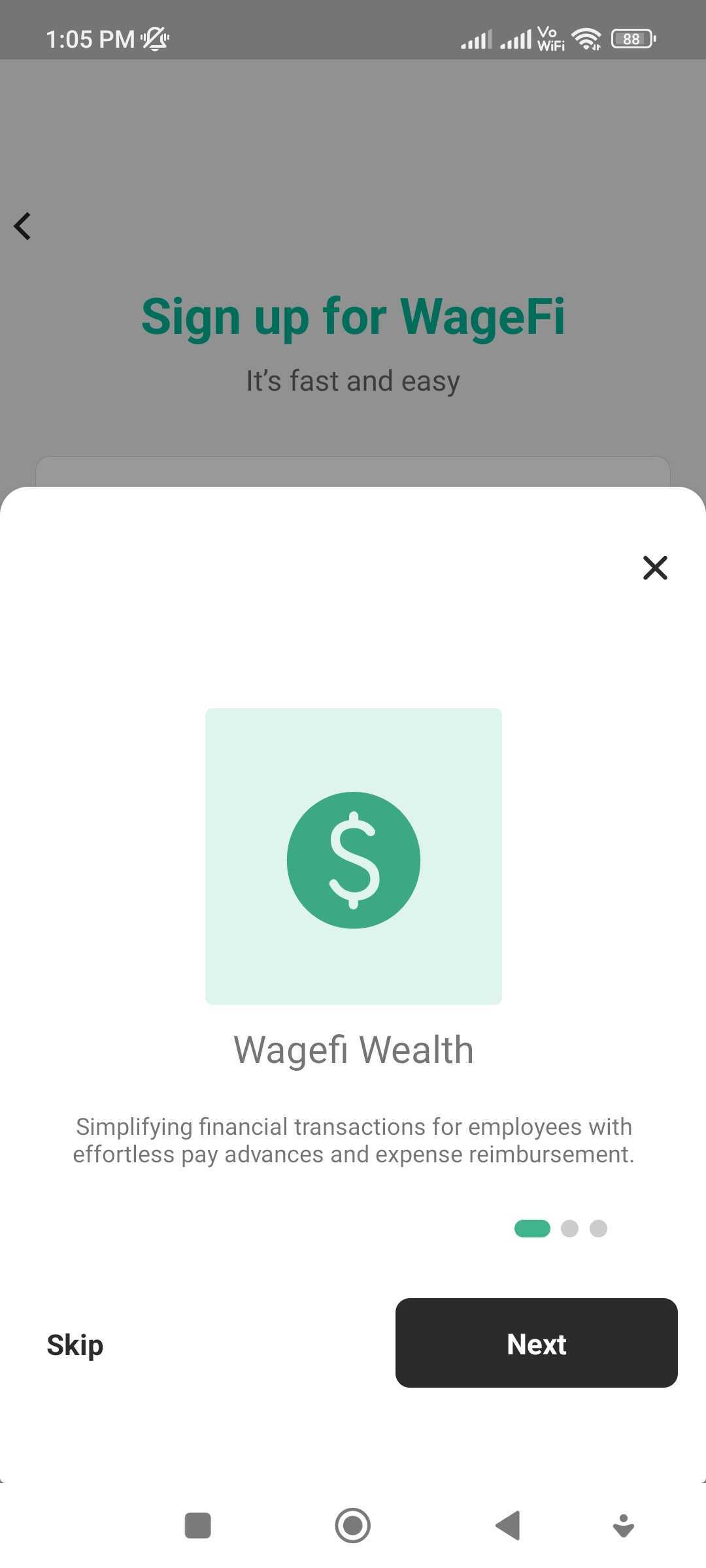
- In WageFi Wealth, employees can initiate advance payment requests or reimbursement requests directly from their end through the WageFi app.
- The employee submits the request, specifying the desired amount for advance payment or reimbursement, along with any necessary supporting documentation or details.
- The request is then forwarded to the employer's end within the WageFi platform, where the employer can review and evaluate the request.
- The employer has the authority to decide whether to accept or deny the request based on the organization's policies, available funds, and other relevant factors.
- Once the employer approves the request, the requested amount is disbursed to the employee, either as an advance payment or as a reimbursement, providing financial flexibility and timely access to funds for the employee.